The Practical Guide to a Self-Hosted Next.js Blog CMS (2026)

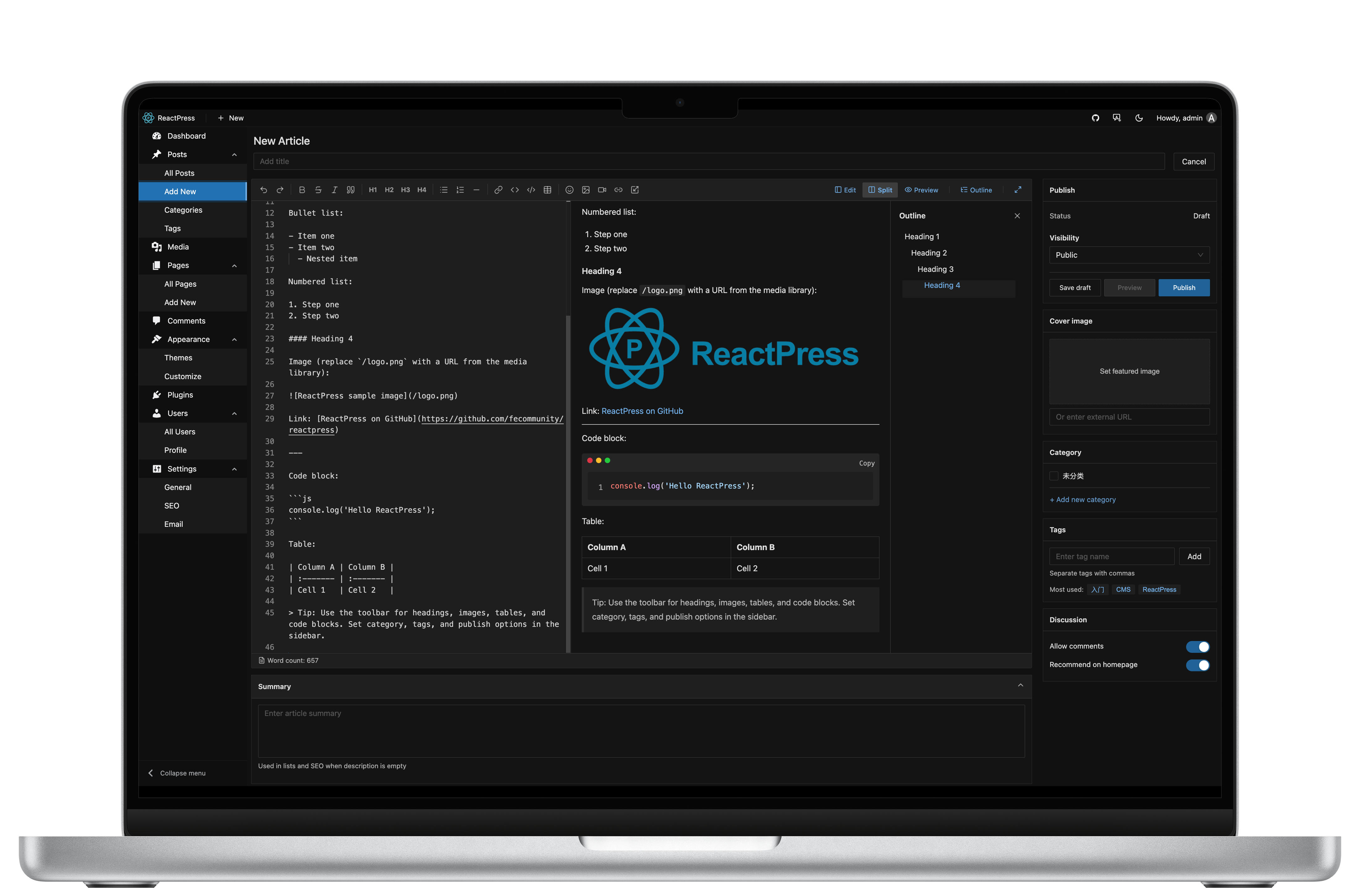
“We want a self-hosted Next.js blog” sounds simple. In practice it splits into three projects: a CMS, an Admin, and a theme — plus backups, SEO, and auth. This guide shows a practical 2026 path that keeps data on your infrastructure and still feels like a product, not a weekend mash-up.
TL;DR: Use a publishing platform that already wires Admin + API + Next.js theme. With ReactPress, reactpress init gets you a local stack in about 60 seconds, defaulting to SQLite (no Docker required).
Related docs: Self-hosted CMS for React · 60-second Next.js blog · Production deploy
What “self-hosted Next.js CMS” should include
| Layer | Why it matters |
|---|---|
| Next.js visitor site | SSR/ISR for SEO and Core Web Vitals |
| Admin | Non-git publishing for editors |
| API / DB | Durable content you control |
| Media | Uploads on your disk or object storage |
| SEO plumbing | Titles, canonical, sitemap, OG |
| Ops | Backups, doctor/logs, reverse proxy |
Skip any layer and you are back to assembling Strapi + create-next-app + custom upload routes.
Option A — DIY (flexible, slow)
Typical stack:
- Strapi / Payload / direct MDX in git
- Custom Next.js App Router site
- Preview mode, webhook rebuilds, image pipeline
- Your own auth and roles
Pros: maximum control. Cons: weeks before the first editor can publish safely; you own every CVE and upgrade.
DIY is right for platform teams. It is expensive for a company blog.
Option B — ReactPress (productized self-host)
ReactPress is an open-source publishing system for React developers:
- NestJS API (Headless REST on by default)
- Vite Admin (posts, pages, media, comments, themes, plugins)
- Next.js themes with SSR SEO
- Hook plugins (SEO, summary, image optimizer, …)
- Optional Electron desktop for offline writing
npm i -g @fecommunity/reactpress
mkdir my-blog && cd my-blog
reactpress init
| Surface | URL |
|---|---|
| Blog | http://localhost:3001 |
| Admin | http://localhost:3001/admin/ |
| API | http://localhost:3002/api |
Default credentials: change admin / admin immediately.
Database choices for self-hosting
| Stage | Recommendation |
|---|---|
| Laptop / small site | SQLite (default) — zero ops |
| Growth / shared DB | MySQL |
| Containers | Docker guide |
Always back up database + uploads/. Config notes: Configuration.
SEO checklist for a self-hosted Next.js blog
- Enable the SEO plugin and fill per-post meta
- Confirm theme
/sitemap.xmlandrobots.txt - Set public site URL in production config
- Use SSR/ISR — avoid client-only post pages
- Compress images (built-in image-optimizer plugin helps)
Details: Site settings & SEO.
Production outline
- VPS or Node host with reverse proxy (Caddy/Nginx)
- Process manager or Docker for API + theme
- TLS, secure Admin exposure, rotated secrets
- Scheduled backups of DB + uploads
reactpress doctorafter deploy
Full guide: Production deployment.
Self-hosted vs SaaS
| Self-hosted ReactPress | SaaS Headless | |
|---|---|---|
| Data residency | Your disk / your DB | Vendor cloud |
| Cost model | Infra only (MIT software) | Seats + API + bandwidth |
| Visitor site | Included Next theme | Usually separate |
| Offline writing | Desktop client | Rare |
Choose SaaS for zero ops. Choose self-host when ownership and React stack unity matter.
FAQ
Do I need Kubernetes?
No. Many blogs run on a single VM.
Can I keep my own Next.js app?
Yes — Headless API + API keys. See Headless API.
Is 4.0 production-ready?
Yes — 4.0.0 is stable. Stage first when upgrading from 3.x. FAQ · Migration 3→4.
Start here
npm i -g @fecommunity/reactpress
mkdir my-blog && cd my-blog
reactpress init
Then read What is ReactPress? and Self-hosted CMS for React.