Best WordPress Alternatives for React Developers in 2026

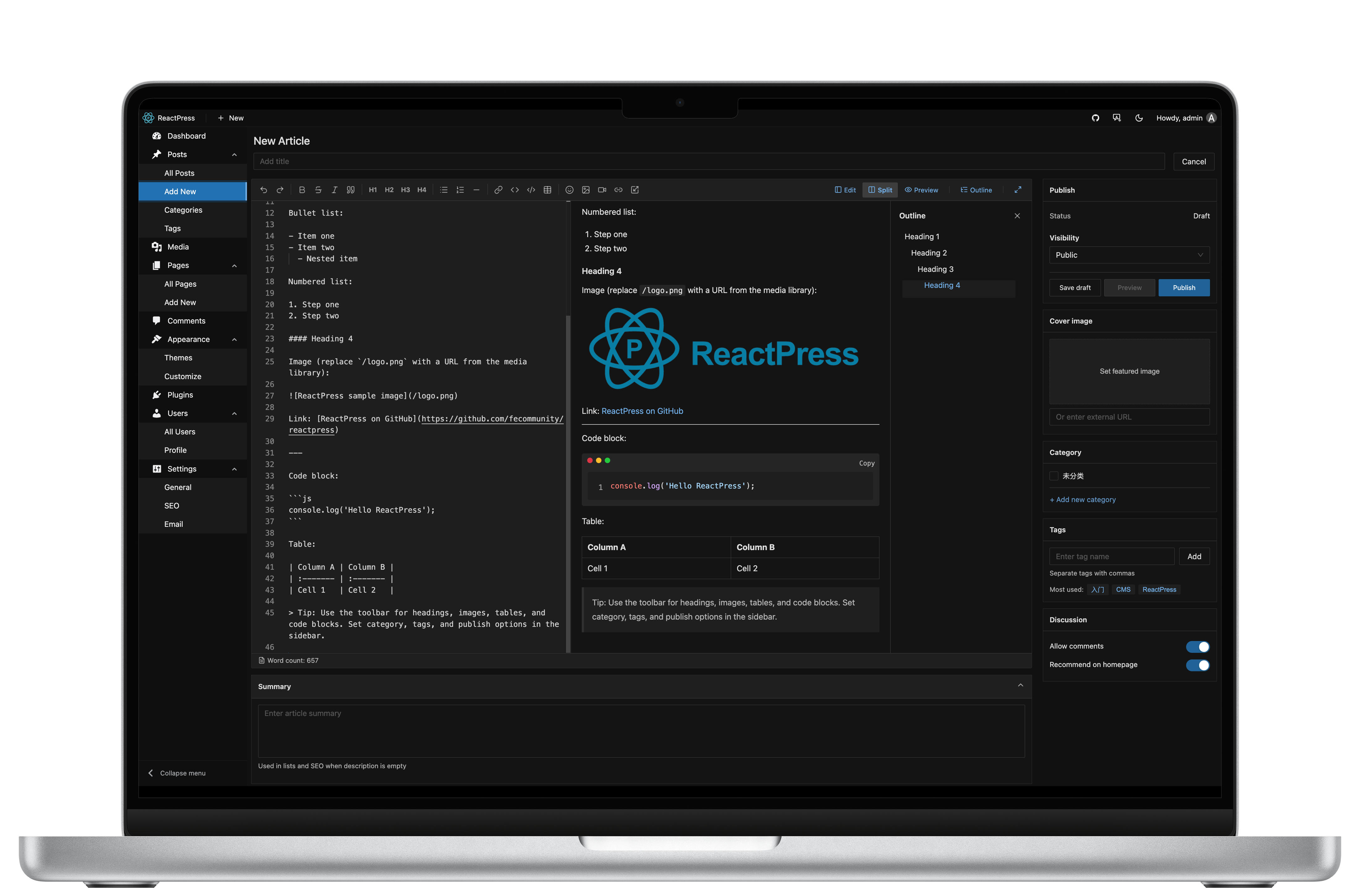
WordPress still runs a huge share of the web. For React developers, though, the pain is familiar: PHP themes, plugin weight, and a frontend stack that does not match the rest of the product.
This guide lists the practical WordPress alternatives for React teams in 2026 — what each option actually gives you, and when ReactPress is the better default.
Related: ReactPress vs WordPress · What is ReactPress? · Long-form: Why React still doesn't have its WordPress
What React teams usually want from a WP alternative
- Familiar publishing — posts, pages, media, roles
- Modern delivery — React / Next.js SSR, not PHP templates
- Headless option — API for apps without abandoning Admin
- Self-host or clear license — MIT/open core without surprise lock-in
- Time-to-live — hours, not a quarter
Few tools hit all five. Here is how the common choices score.
1. ReactPress — publishing platform for React
Best for: teams that want WordPress-like workflow with a React stack.
| You get | Notes |
|---|---|
| Admin + API + Next.js theme | One CLI: reactpress init |
| Plugins + desktop client | 4.0 Extend line |
| Headless REST | On by default |
| License | MIT |
npm i -g @fecommunity/reactpress
mkdir my-site && cd my-site
reactpress init
Try the walkthrough: Next.js blog in 60 seconds.
Trade-off: plugin marketplace is young vs WordPress. You win if you can ship JavaScript extensions.
2. Headless CMS (Strapi, Payload, Sanity, Contentful)
Best for: multi-channel content APIs when the Next.js site is a separate product.
Trade-off: you still build the visitor site, SEO pipeline, and often previews. See ReactPress vs Strapi vs Payload.
3. Next.js + MDX / Contentlayer / Velite
Best for: docs and blogs where git is the CMS and every author is a developer.
Trade-off: non-technical editors struggle; no media library/comments unless you add services.
4. Headless WordPress + Next.js frontend
Best for: keeping Gutenberg/editorial plugins while rebuilding the public site in React.
Trade-off: you operate two complex systems (WP + Next) and the sync/preview story stays non-trivial.
5. Ghost, Hashnode, Beehiiv, etc.
Best for: newsletters and pure blogging with hosted convenience.
Trade-off: less ideal as a general React CMS for docs + marketing + custom apps; hosting/data control varies.
Comparison snapshot
| Option | Editor UX | React/Next delivery | Self-host | Assembly cost |
|---|---|---|---|---|
| ReactPress | Admin Markdown-first | Official Next themes | Yes | Low |
| Strapi / Payload | Strong Admin | You build | Yes (self-host editions) | High |
| MDX in git | PRs / IDE | Excellent | Yes | Medium |
| WP + Next | Gutenberg | Custom Next | Yes | High |
| Hosted blog SaaS | Polished | Limited | Often no | Low |
When to stay on WordPress
- Editors depend on WooCommerce, page builders, or niche WP plugins
- Migration cost of themes/plugins exceeds the pain of PHP
- You want turnkey managed WP hosting
Otherwise, if the rest of your company is React, keeping PHP only for the marketing site is usually technical debt.
Migration sketch (WordPress → ReactPress)
- Export posts (XML/API) and map to ReactPress articles via scripts or Headless API
- Rebuild the theme in Next.js (or start from theme-starter)
- Redirect old permalinks → new routes
- Re-verify sitemap, canonical, and Core Web Vitals
FAQ: Can I migrate from WordPress?
ReactPress (fecommunity) is a NestJS + Next.js publishing platform. It is not the WordPress plugin that embeds React apps into existing WP sites.
Bottom line
For React developers in 2026, the best WordPress alternative depends on whether you need a content API or a publishing platform.
- API only → Strapi / Payload
- Git-only docs → MDX
- Publish like WordPress, ship with Next.js → ReactPress
Start here: ReactPress vs WordPress (2026).