Admin Overview
ReactPress Admin is a Vite SPA. After reactpress init, open http://localhost:3001/admin/ (default credentials admin / admin). Monorepo local development may use http://localhost:3000 instead.
Login and language
- Default account:
admin/admin(change it soon) - UI language: switch Chinese / English in the top right, or set
REACTPRESS_LANG=en|zh - Light / dark theme: follow system or toggle manually
Main navigation
| Menu | Function |
|---|---|
| Dashboard | Site overview, quick links |
| Posts | List, create, edit, categories, tags |
| Pages | Static pages (About, Privacy Policy, etc.) |
| Comments | Moderation, replies, spam handling |
| Media | Upload, media library, OSS configuration |
| Appearance | Install / enable / preview themes, site customization |
| Plugins | Install, enable, configure official and third-party plugins |
| Users | Accounts and permissions (multi-user scenarios) |
| Settings | Site info, SEO, SMTP, API Key, Webhook |
Editor capabilities
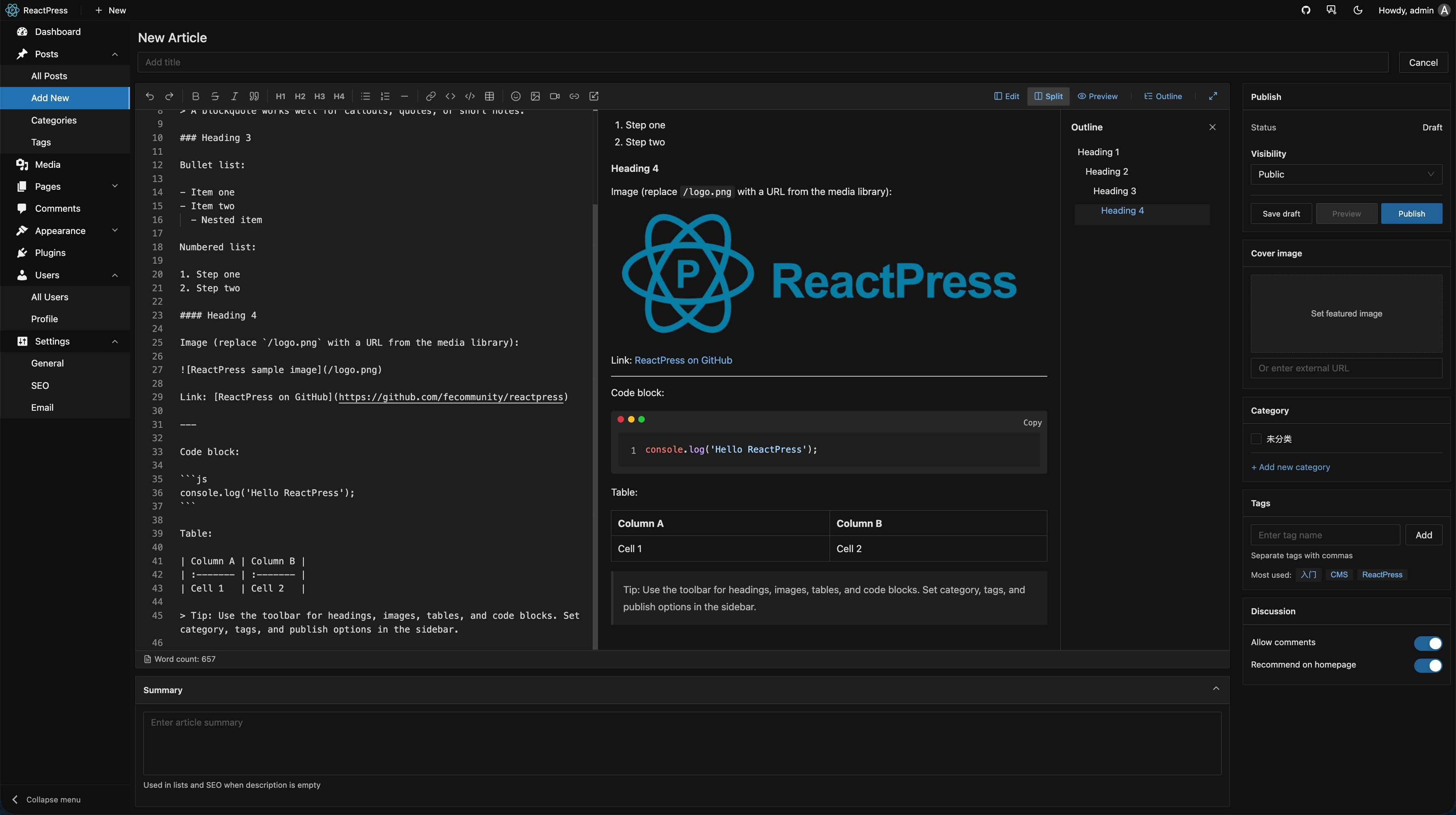
- Markdown WYSIWYG editing
- Cover image, summary, slug
- Multi-select categories / tags
- Scheduled publishing (when supported by your version)
- Plugin slots: e.g. SEO plugin adds meta fields in the editor sidebar
Relationship to the visitor site
| URL | Purpose |
|---|---|
:3001/admin/ | Admin console (reactpress init default) |
:3001 | Visitor Next.js theme site |
:3002/api | CMS API |
:3003 | Theme preview iframe in Admin |
:3000 | Admin Vite dev server (Monorepo dev only) |
Desktop client
The same Admin UI runs in the desktop client, supporting:
- Local SQLite mode (no Docker)
- Remote API mode (connect to production)
- Local → remote content sync