Themes & Appearance
The visitor site is rendered by a replaceable Next.js theme, fully separate from Admin. Changing themes does not change content — only presentation.
Manage themes in Admin
- Appearance → Themes
- Install: choose from catalog (or local theme)
- Enable: after activation,
:3001serves the new theme - Preview: before enabling, preview in iframe at
:3003
Official themes
| Theme | Source | Use case |
|---|---|---|
| hello-world | Local in repo | Learning, customization |
| reactpress-theme-starter | npm | Production: search, knowledge base, comments, dark mode |
Live demo: reactpress-theme-starter.vercel.app
Install options
- End users (recommended):
reactpress initauto-installs the featured theme; you can also install from Admin → Appearance → Themes - Monorepo: full CLI supports the
themesubcommand:
reactpress theme add @fecommunity/reactpress-theme-starter@1.0.0-beta.0
(The global npm CLI does not include theme.)
Theme-only preview (no backend)
Experience theme UI without connecting to API:
npx create-next-app@latest my-blog \
  --example "https://github.com/fecommunity/reactpress-theme-starter" \
  --use-pnpm
cd my-blog && pnpm dev:mock
Site customization
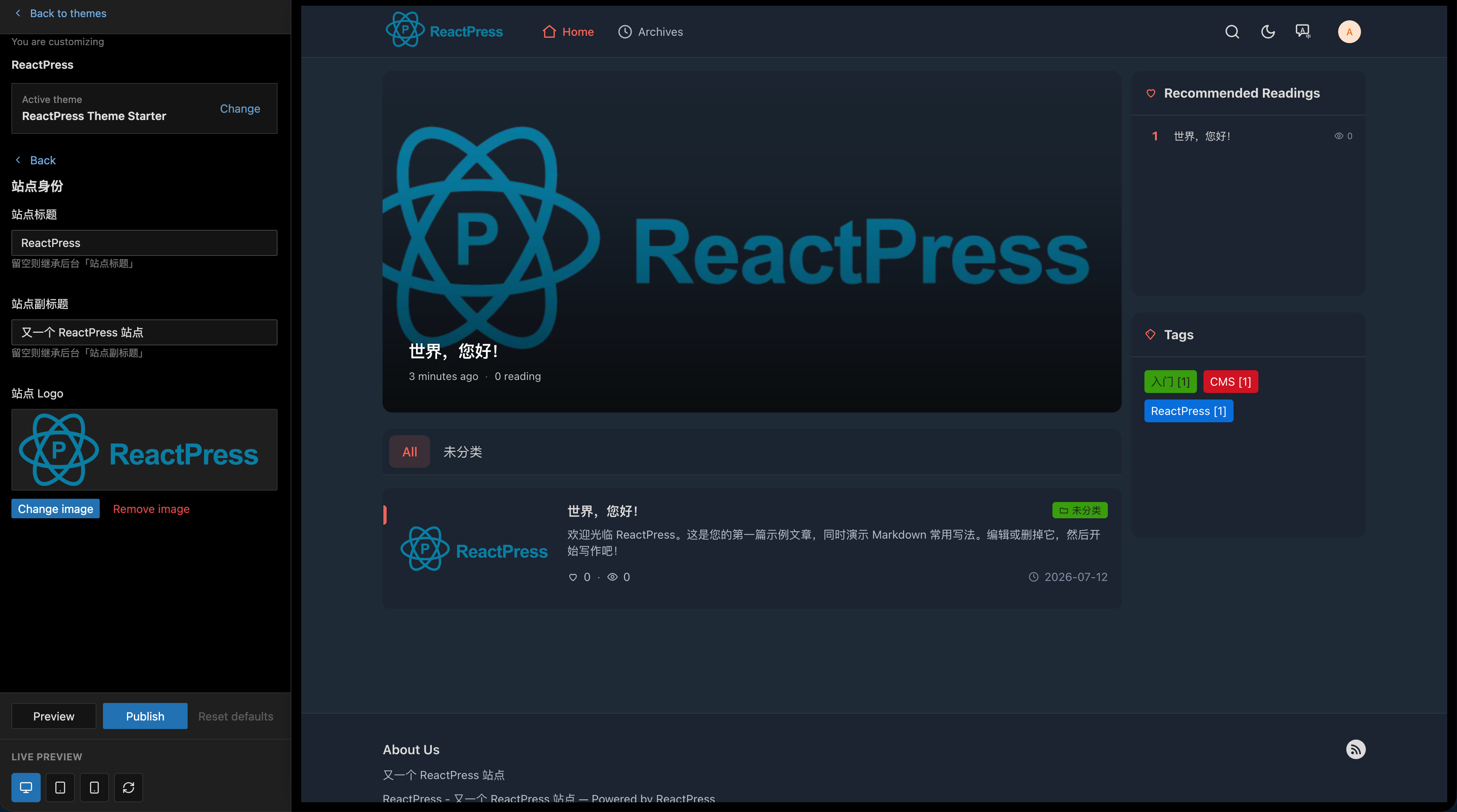
In Appearance → Customize (or Settings → Site):
- Site title, description, logo, favicon
- Social links, footer text
- Colors and layout (theme-dependent)
Customization is stored in API; themes read via settings API.
Custom themes
Developers fork the official starter or copy from themes/hello-world:
Architecture notes
- Themes must not include Admin routes or write to the database directly
- All data flows through Toolkit → REST API
- SEO is the theme's responsibility via SSR/ISR; Lighthouse target ≥ 90